
Stage one: sign up and submit a link
Stage one of three. By the end of this page you will have an account and a submitted link waiting on Didpop's side.
Signing up
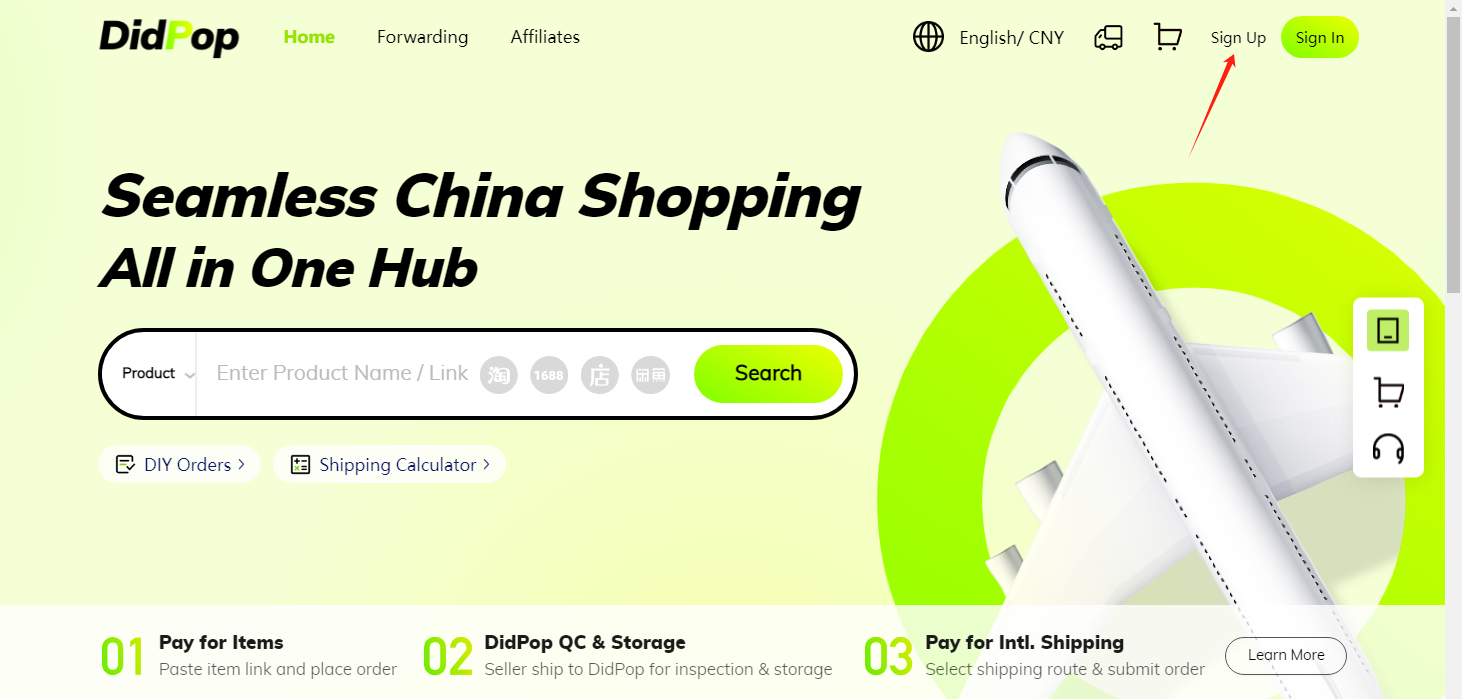
Didpop's own help centre describes registration as roughly a one-minute process: click Sign up on the homepage, enter an email address, choose a username and password, and enter a verification code. No Chinese phone number is required.
Finding a product and submitting the link
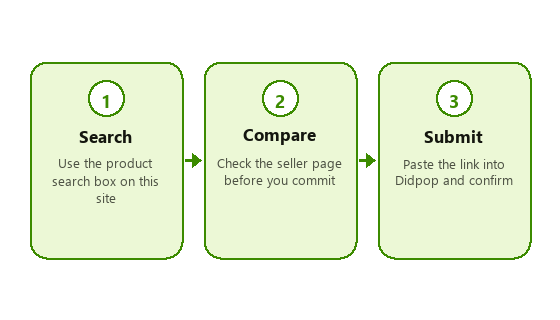
Use the search box on this site, or browse a category lane on the category page, to land on a real listing on the underlying marketplace. Check the seller page itself before you commit, size charts, material notes, and photos beyond the hero image all live there, not on this site.
Once you have a link you want, paste it into Didpop's own order form. Didpop buys the item from the seller on your behalf; you are not paying the seller directly.
What happens to your money at this point
You pay Didpop, not the seller, when you submit an order. That payment covers the item price plus, depending on the source platform, a service fee, see the fees page for the published tier table. International shipping is a separate charge paid later, once the parcel is weighed and you choose a line.
Browse sneaker finds on the shelf or see the full category shelf before you start.
Tracking the order while it is being bought
An agent order moves through named statuses on Didpop's own order list before it ever reaches the warehouse, visible stages include Payment Pending, Purchasing, Confirm or Back-Payment, and Warehouse Pending, before the item shows as Stored in warehouse. If a status sits on Pending for Confirmation, Didpop's help centre treats that as a request for you to confirm a detail (a size, a colour, a price change) before the purchase goes ahead, so it is worth checking in on an order rather than assuming it is moving automatically.
Two friction points worth knowing about going in: first, a listing can show in stock on the original marketplace while Didpop's own system has not yet synced that, so an order can stall even though the seller's page still looks biddable. Second, orders can usually be cancelled before the seller ships, Didpop's help centre has a dedicated article on cancelling an order, but once purchasing has gone through, cancellation gets harder and may not be possible at all.
A third, smaller friction point worth flagging: if a seller drops the price on an item after you have already ordered it at the higher price, Didpop's help centre addresses that scenario directly rather than leaving it to guesswork, so if that happens to you it is worth checking the relevant article before assuming nothing can be done. None of these three are reasons to avoid ordering, they are simply the specific places a first order is most likely to need a second look rather than running start to finish without any input from you.